Turn iPhone Backups Into Searchable, Exportable Message Records
MessageHarvest reads local iPhone backups and turns them into searchable conversations, printable PDFs, and structured exports. Everything stays on your Mac.
4 Export Formats
HTML, PDF, XLSX, JSON
100% Offline
No data ever leaves your Mac
Court-Ready
Timestamps, hashes, full metadata
No Subscription
Pay once, own it forever
Import a Backup. Review the Conversation. Export the Record.
Three Things MessageHarvest Does Well
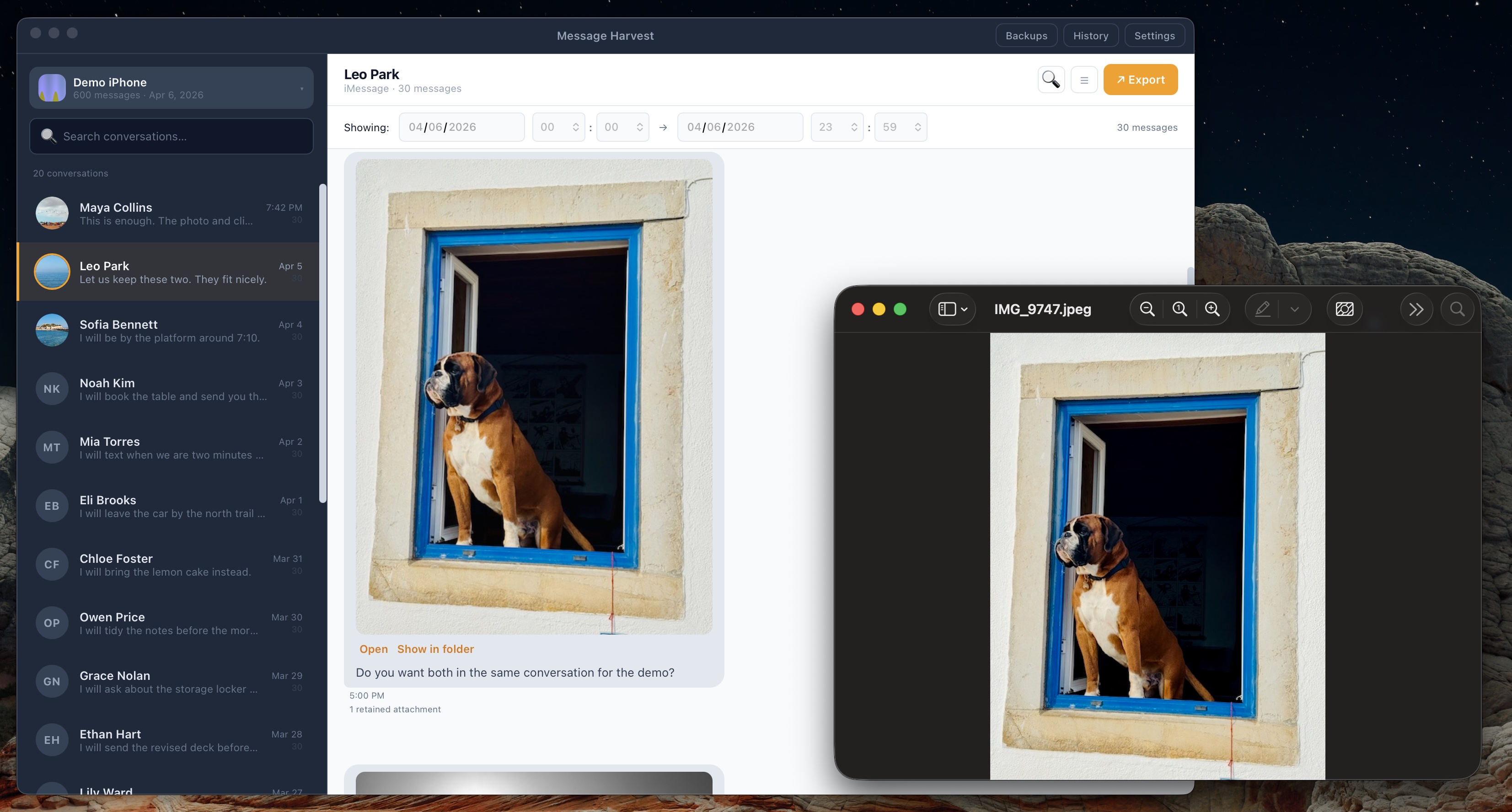
Every Conversation at a Glance
See all contacts, message counts, and previews from your iPhone backup. Open any conversation to read the full thread with inline images, search across thousands of messages, and filter by date range.
- ✓ Search instantly across all messages
- ✓ Filter by date range
- ✓ View retained images and media inline
- ✓ iMessage and SMS conversations
Four Formats. Full Control.
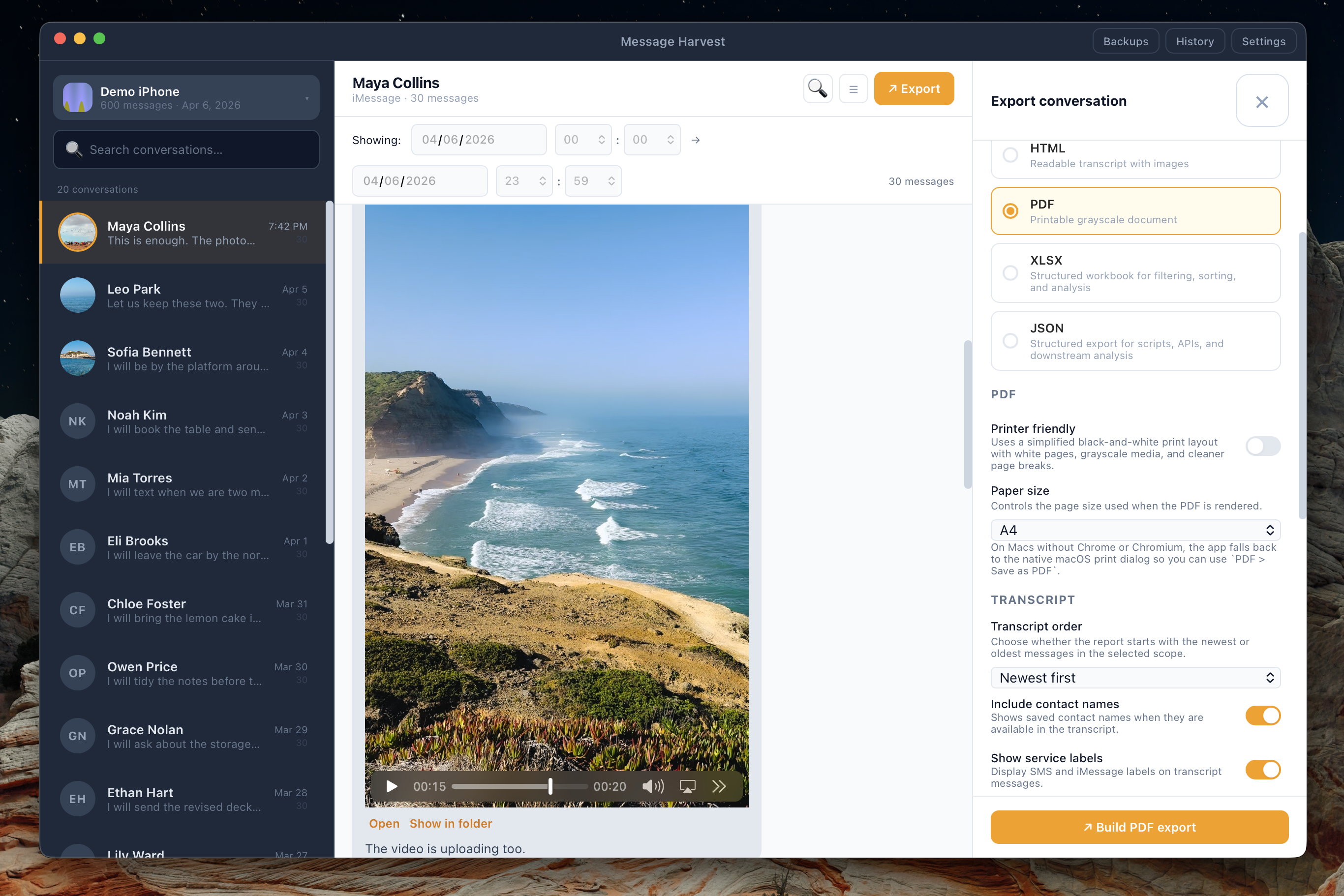
Choose PDF for print and court filings, HTML for readable transcripts, XLSX for spreadsheet analysis, or JSON for processing. Configure what to include: media, appendices, date ranges, paper size.
- ✓ PDF, HTML, XLSX, and JSON
- ✓ Include or exclude media and appendices
- ✓ ZIP packaging with optional password
- ✓ Full export history with one-click re-open
Formatted for Legal Proceedings
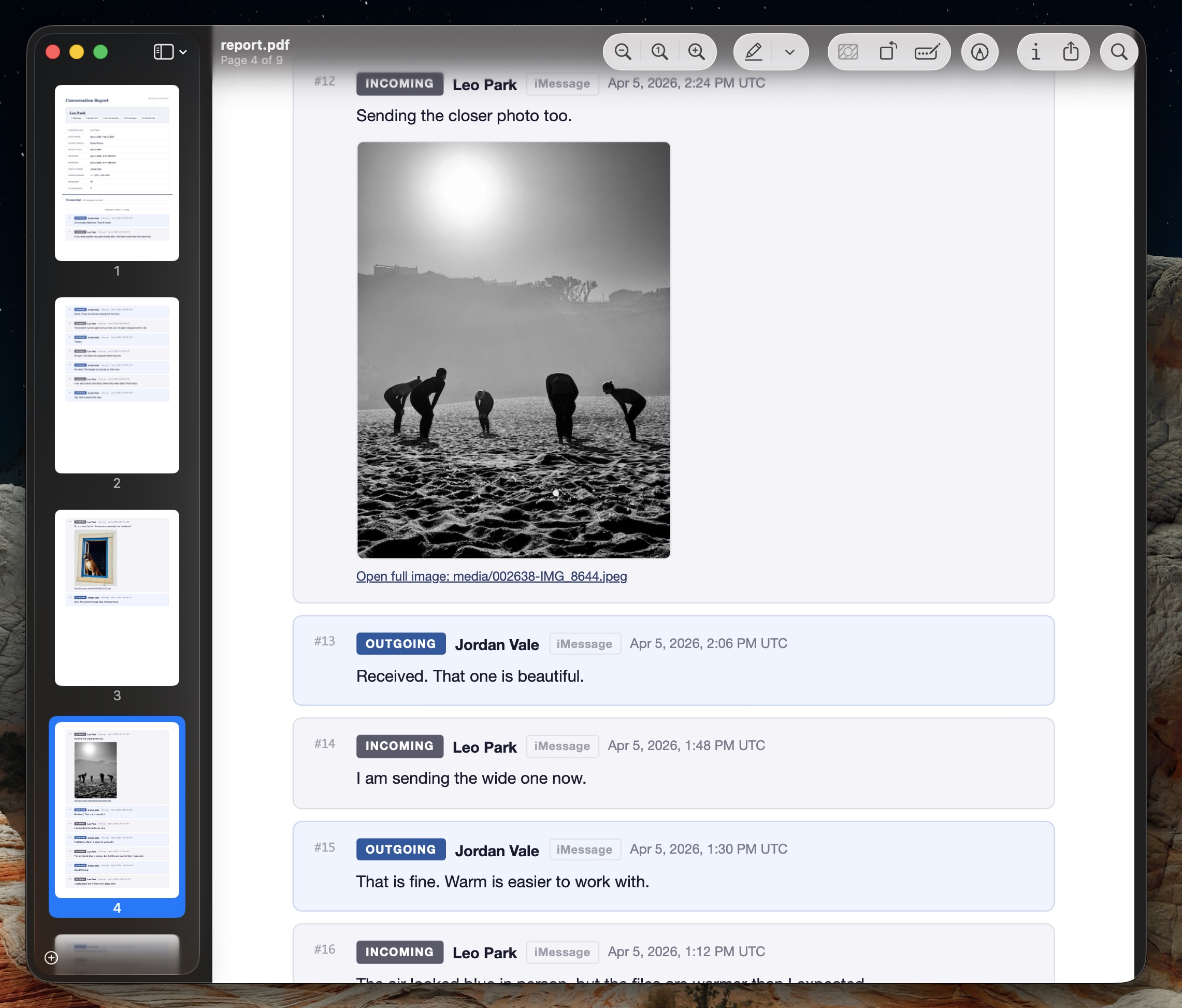
Every export produces a Conversation Report with sequential numbering, direction badges, full phone numbers, and ISO timestamps. The technical appendix includes SHA-256 file hashes for verification.
- ✓ Sequential message numbering
- ✓ INCOMING / OUTGOING direction on every message
- ✓ Full metadata: device, owner, dates, counts
- ✓ SHA-256 hashes in technical appendix
Your Messages Never Leave Your Mac
MessageHarvest is a native macOS app that reads iPhone backups stored on your machine. There is no cloud sync, and no message content is uploaded anywhere. Your data stays on your Mac.
-
🔒No message upload. Message content stays on your Mac. Internet access is only used for license validation, update checks, and checkout in your browser.
-
💾Backups are never modified. MessageHarvest reads your backup files. It does not write to, move, or delete them.
-
🔐Encrypted backup support. Enter your backup password once. MessageHarvest decrypts locally on your Mac.
-
⚖️Free trial before purchase. Confirm the app reads your backup correctly. No credit card required.
Built for Trust
MessageHarvest processes sensitive personal data. That is why everything runs locally, nothing is uploaded, and the trial exists so you can verify before you pay.
⚖️ Legal Professionals
Court-ready exports with full metadata, date filtering, and SHA-256 hashes for evidence verification.
👪 Personal Use
Archive conversations before switching phones, save family memories, or keep personal records.
Simple, One-Time Pricing
Install for free. Buy device seats to unlock full exports for each iPhone you need. Starting at $19.
- ✓ Install on any Mac
- ✓ Browse all conversations (latest 10 messages)
- ✓ Search across all messages
- ✓ Limited PDF exports (10 messages)
- — Full conversation view
- — Full exports & ZIP packaging
- ✓ Unlimited exports per licensed device
- ✓ PDF, HTML, XLSX, JSON
- ✓ ZIP packaging with optional password
- ✓ Add more seats anytime
Digital delivery by license key after checkout. Refund exceptions are listed in Terms & License.
25+ devices? Contact us for firm and volume licensing.
Common Questions
Request Trial Access
We are finalising the public launch and production checkout. If you want to test MessageHarvest on your own backup now, request the current Apple Silicon trial build.